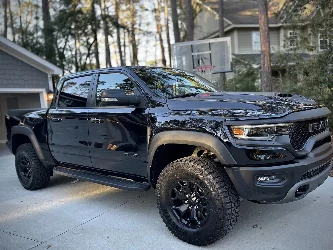
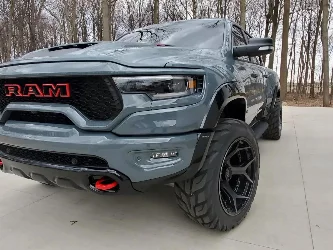
I was reading a post on another forum about the install and a former amazon employee said they are using them and its in the terms of service. Figured I would pass it along. Looks to be a pretty decent cam. If it doesn’t send to the cloud ect then I may look into it. I drive like a maniac so don’t feel like hiring more lawyersThe FITCAMX is all stored on the sd card and no cloud. So should be no problem
Just looked it up, its sent to authorities if you subscribe to the “Ring Protect Go” that uses the lte service when away from your home wifiThe FITCAMX is all stored on the sd card and no cloud. So should be no problem
. . .have the same radar detector mount and connection. . .you did not go over IF connecting the camera forced you to connect your radar detector differently since you had to disconnect the power to the radar detector to use the power back to the camera.Dash cams are pretty much a necessity nowadays and with how easy this one installs, the quality of it, and even the price, you should definitely check it out. It's made by a company called FitCamX and while I was searching for a good option for the TRX I came across this one and thought I'd give it a try. I was surprised to find that it has the internals of much more expensive dash cams with the quality to go with it. The install is insanely easy and it looks OEM. I have some day and night time video in the video below so if you're looking for a dash cam for your truck, check this out:
You can get yours here: https://amzn.to/3Xq8DW0
PROMO code: RAM1500FITC for 6% off.
If amazon isn't working, you can get it from their site here and save 6% with the following code:
Promo code: HHD6 for 6% off![]()
I didn't mention it because I didn't have to change anything. I had to remove the blend mount to get the stock piece off but other than that the mirror tap wire works perfectly fine with the new power cable running to the dash cam. No issues in the 2 months I've had it.. . .have the same radar detector mount and connection. . .you did not go over IF connecting the camera forced you to connect your radar detector differently since you had to disconnect the power to the radar detector to use the power back to the camera.
I ran my radar detector power the same time I did the dash cam install. I stole the power from the red and black wire of the splice of the dash cam and it works fine so far.I didn't mention it because I didn't have to change anything. I had to remove the blend mount to get the stock piece off but other than that the mirror tap wire works perfectly fine with the new power cable running to the dash cam. No issues in the 2 months I've had it.
So we’ve been pulling videos of our offroad adventures off our dash cam via the FitCam app, but its kinda annoying and tedious sitting in the car previewing and downloading all the vids so i attempted to simply pull the sdcard and save the vids directly to my comp. When you do it that way, however, the file format is some weird type that wont open/play on a Mac.

Can anyone confirm the video format works on a PC when you pull the video directly from the SDcard? Has any1 had luck playing them on a Mac?
Really? What player do you use to play it?Works fine for me on a Mac. The video format shows up as "MPEG-4 movie" under the column "Kind".
. . .for some reason, I thought you had your radar detector's power using the same connection that you unplugged and then used for the dash cam.I didn't mention it because I didn't have to change anything. I had to remove the blend mount to get the stock piece off but other than that the mirror tap wire works perfectly fine with the new power cable running to the dash cam. No issues in the 2 months I've had it.
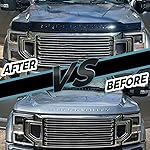
Really? What player do you use to play it?
I use the USB and when I plug it into the computer (using Windows OS) the files are listed as MP4. When I click on the actual file the Movies and TV player open the video. Hope that helps.So we’ve been pulling videos of our offroad adventures off our dash cam via the FitCam app, but its kinda annoying and tedious sitting in the car previewing and downloading all the vids so i attempted to simply pull the sdcard and save the vids directly to my comp. When you do it that way, however, the file format is some weird type that wont open/play on a Mac.
Can anyone confirm the video format works on a PC when you pull the video directly from the SDcard? Has any1 had luck playing them on a Mac?
Try VLC. Use for both windows and MAC to play most mediaI'll have to dble check what i've got. I've got an old school 2013 MacPro that's on its last legs lol
I am. I'm using a mirror tap wire to pull power from that same plug.. . .for some reason, I thought you had your radar detector's power using the same connection that you unplugged and then used for the dash cam.
. . .thanks, it looked like you were using the same connector vs. a tap into the power for the radar detector - that is what confused me. I have a direct connection via the OEM connector that goes between the rear view mirror connector and its power supply.I am. I'm using a mirror tap wire to pull power from that same plug.
Gen5DIY?. . .thanks, it looked like you were using the same connector vs. a tap into the power for the radar detector - that is what confused me. I have a direct connection via the OEM connector that goes between the rear view mirror connector and its power supply.
Bingo…but I didn’t get the one with the extra power line for a dash cam. Which I may end up having to get.Gen5DIY?
I've been using mine daily for over 2 months now and it's been perfect. The only bad reviews I can find is their mobile app implantation which I won't argue with but at the same time, don't use. If you're ok getting footage off onto your computer via the USB stick reader they include then you'll be fine.So its been a while since the OP and a (small) number of the amazon reviews are not excellent. How is everyone finding theirs? any issues?