2023+ digital cluster swap (COMPLETE WRITE UP)

For sure, their catalogs are a mess but I’ve found a few tricks over the years to get a little more info before blindly ordering.

Jimmy gave me some coding to unlock “secret” features of my new 2023 system.

The first is turn signal activated blind spot cameras. This is useless on the standard mirrors I have due to the camera placement but still interesting.


More excited about the parksense activated cameras.
IMG_2618.webp

Yes, the Tazer also does this but having it native to the truck is way better. I haven’t tested it fully but the fact that the menu is there now, and that the turn signal cams work tells me this likely will as well.
 
For sure, their catalogs are a mess but I’ve found a few tricks over the years to get a little more info before blindly ordering.

Jimmy gave me some coding to unlock “secret” features of my new 2023 system.

The first is turn signal activated blind spot cameras. This is useless on the standard mirrors I have due to the camera placement but still interesting.


More excited about the parksense activated cameras.
View attachment 119999
Yes, the Tazer also does this but having it native to the truck is way better. I haven’t tested it fully but the fact that the menu is there now, and that the turn signal cams work tells me this likely will as well.
Oooh id be interested to know how you activated the parksense camera
 
Find the one beginning with “62014E” and change it to read:

62014E00D0448080000970
I just want to add one minor note to this:
The values that need to be changed could be different for some people than others.
In this case, everything will be the same for everyone except for the last 4 values (0970). Those might be different for others depending if they have power side steps, or pedestrian emergency braking, etc.
So, whatever those last 4 values are for each individual’s backup file, leave them like they are.

I also suggest changing the “D” to an “E”. That way, the rear seat alert on/off toggle will show up in the radio settings.
 
For sure, their catalogs are a mess but I’ve found a few tricks over the years to get a little more info before blindly ordering.

Jimmy gave me some coding to unlock “secret” features of my new 2023 system.

The first is turn signal activated blind spot cameras. This is useless on the standard mirrors I have due to the camera placement but still interesting.


More excited about the parksense activated cameras.
View attachment 119999
Yes, the Tazer also does this but having it native to the truck is way better. I haven’t tested it fully but the fact that the menu is there now, and that the turn signal cams work tells me this likely will as well.
let me know if you like it... i got a tazer but wasn't sure i wanted to fuck with that setting.

i asuume your liking uconnect 5.... so much better than 8.4...... although it works like 70% of the time.

prob need to get it upgraded via dealer.
 
I just want to add one minor note to this:
The values that need to be changed could be different for some people than others.
In this case, everything will be the same for everyone except for the last 4 values (0970). Those might be different for others depending if they have power side steps, or pedestrian emergency braking, etc.
So, whatever those last 4 values are for each individual’s backup file, leave them like they are.

I also suggest changing the “D” to an “E”. That way, the rear seat alert on/off toggle will show up in the radio settings.
Just updated that for clarity. Thanks. 👍👍
 
let me know if you like it... i got a tazer but wasn't sure i wanted to fuck with that setting.

i asuume your liking uconnect 5.... so much better than 8.4...... although it works like 70% of the time.

prob need to get it upgraded via dealer.
I haven’t uncovered any glitches yet on the software I’m on. Overall I really like it. The customization is so much better than UC4.
Oooh id be interested to know how you activated the parksense camera
Lemme just make sure it works 100%. If so you would have to do it the same way I described altering the backup to get the tiles and maps.
 
- I’m Impressed!
- I have the MY23 TRX equipped with Level 1.
- It did not come with the LKA nor Surround View. [I’d love to have both.]
- You stated that all TRX’s have the hardware to support LKA, however, unless I’m mistaken, you’d need the Mirrors/Hardware for the ‘360 Surround View’ installed in order to activate it. [Or, is that incorrect?]
- Thanks, again. Appreciated

[I wish there was a Qualified ‘Indy’ in the Orange County, CA area to accomplish those changes. I’ve not found one - And, my limitations are admittedly the ‘Electronics’. So be it. I’m remained impressed by what you’ve done.]
 
- I’m Impressed!
- I have the MY23 TRX equipped with Level 1.
- It did not come with the LKA nor Surround View. [I’d love to have both.]
- You stated that all TRX’s have the hardware to support LKA, however, unless I’m mistaken, you’d need the Mirrors/Hardware for the ‘360 Surround View’ installed in order to activate it. [Or, is that incorrect?]
- Thanks, again. Appreciated

[I wish there was a Qualified ‘Indy’ in the Orange County, CA area to accomplish those changes. I’ve not found one - And, my limitations are admittedly the ‘Electronics’. So be it. I’m remained impressed by what you’ve done.]
LKA (and adaptive cruise if you want to add that too) are both handled by the DASM in the windshield, not the surround cameras. All you need are the proper switches, and to activate it via AlfaOBD. The rest of the needed hardware is already present on all TRXs no matter what.

Adding the surround view would be more involved / expensive but it’s indeed possible and plenty people have done it.
 
Nice write up I have done this in my 22 as well. Have had it for months at this point. I’m working on mileage correction on another route.
One thing to add is the radio must be a 23/24 as you listed or else the Ethernet port behind the radio will not work. It is present on a 22 but doesn’t do anything apparently even with 23 software in it.

A bcm may not be needed if 1 Mopar releases a flash update for a 23 Bcm on the server.
2 must have the ability to flash said bcm over what it currently has. As the 23 software will not show up on witech2 as available.

Me and a friend were able to do this to convert a 21 Bcm to a 22. But there was an update available for a 22. I would guess it would be the same to convert a 22 to a 23 to add the missing items to the software.

I was able to remap the tiles button so it does not give me VR when pressed. I can poke around as I don’t off the top of my head remember what I did. I can read my Bcm with alpha and send that too you. But I don’t use alpha.

And finally this is an expensive mod. Cluster Bcm and radio module.

I can program all these my self so no dealership needed but must add that cost in as well
 
Last edited:
I might have to drive out to you and give you back rubs.

So look I much want on my 22 But there's no way and how my wife is gonna let me take apart the —. I would have to take a road trip somewhere
 
I might have to drive out to you and give you back rubs.

So look I much want on my 22 But there's no way and how my wife is gonna let me take apart the —. I would have to take a road trip somewhere
Just have to work in the cover of darkness when the wife and kids are in bed like I did. She hasn't even noticed my improvements yet but I haven’t been driving the truck much either.
 
I have no local dealers who would waive a core charge. Anyone have any leads as to where to come across these. There is nothing on eBay.
 
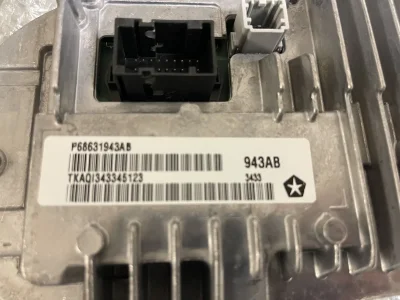
And I wasn’t just guessing when I made the list of part numbers. I have the cluster in my truck. It’s an AG revision whereas the latest is AH.
View attachment 119971
Regardless of whatever cartoon picture is on Ram’s parts site, it IS the correct part.View attachment 119972
This is what I show for 2024 cluster but can’t find it in the 5 thousand plus results for clusters on mopar website.
 

Attachments

  • IMG_6571.webp
    IMG_6571.webp
    132.8 KB · Views: 59
Finally had enough snow melt off the truck to test the factory parksense camera activation. Works great.
IMG_3226.webp

I believe anyone with a 2023+ (or at least a 2023+ CVPM in an older truck) should be able to enable this by changing the 14th position in the 62014E line to a 1 and restoring to that new backup.

I’m stoked to have factory integration because this function in the Tazer was buggy as hell.
 
I believe anyone with a 2023+ (or at least a 2023+ CVPM in an older truck) should be able to enable this by changing the 14th position in the 62014E line to a 1 and restoring to that new backup.
Just tried this out, works great.

I also made the change for the rear seat reminder toggle but while it shows up, checking it gives an error "rear seat reminder not set". No clue if it works or not.
 
Just tried this out, works great.

I also made the change for the rear seat reminder toggle but while it shows up, checking it gives an error "rear seat reminder not set". No clue if it works or not.
This is on a 23 I’m assuming? Did you have the rear seat alert working from factory, even though there was no toggle in the radio to begin with?
 
This is on a 23 I’m assuming? Did you have the rear seat alert working from factory, even though there was no toggle in the radio to begin with?
I won’t speak for him but before you sent me the backup which added the option to switch it off, the rear seat alert was working.

Now, with the feature toggled off I get this message on the cluster every time I start the truck. Not sure if that’s what you’re referring to @SquirrelMaster ?
IMG_3755.webp

I don’t think it’s an error so much as it’s a reminder that it won’t remind you. Lol
 
This is on a 23 I’m assuming? Did you have the rear seat alert working from factory, even though there was no toggle in the radio to begin with?
Yes to both.

I won’t speak for him but before you sent me the backup which added the option to switch it off, the rear seat alert was working.

Now, with the feature toggled off I get this message on the cluster every time I start the truck. Not sure if that’s what you’re referring to @SquirrelMaster ?View attachment 121757
I don’t think it’s an error so much as it’s a reminder that it won’t remind you. Lol
No, this is on the uconnect. I just went out to grab a photo of the error and it's gone now. Seems to work fine.
 
No, this is on the uconnect. I just went out to grab a photo of the error and it's gone now. Seems to work fine.
Ok, I know what you mean. Sometimes the radio needs a reboot, or drive cycle on the truck to get the newly added radio setting straightened out. Sometimes it might even start off showing as toggled off even though the feature was always active.
 
I won’t speak for him but before you sent me the backup which added the option to switch it off, the rear seat alert was working.

Now, with the feature toggled off I get this message on the cluster every time I start the truck. Not sure if that’s what you’re referring to @SquirrelMaster ?View attachment 121757
I don’t think it’s an error so much as it’s a reminder that it won’t remind you. Lol
I think I can get it set up to be gone altogether if you want.
 

TRX Forum Favs 👍

Back
Top