Tazer DT

I just put it back in and reconfigured the TazerDT. I found the BrakeHold under the live settings and disabled it. Initial tests (quick drive) suggest that was it. I also configured the AmberDRL for Day too, which is a really nice feature. I'll report back after I run some errands this afternoon.

One question ... Does The TazerDT remember the LiveSettings between restarts/reboots/etc?
Perfect. I knew we would get it figured out.

Yes, any live feature setting has to be reset anytime you unplug the Tazer. Restarting the truck will not change the last known setting. For those with the latest firmware update (18.1.2), brake hold is turned on by default. I suggest turning this off unless you know what to expect.

Also, the response to your suggestion for a desktop app.... it is not possible due to the way the unit works.

Bill
 
Last edited:
Going back to previous version solved all my problems thank God.
Confirmed with ZAutomotive that the Brake Hold is turned on by default in the latest update. Your issues were all brake hold related. Simply go to live features and turn off Brake Hold and the issue will be gone. You will also have access to some other cool features such as DRL's switching to white when headlights are on.
 
@Boosted what is the most up to date firmware for the tazer on the my22? Thanks!
 
@Boosted what is the most up to date firmware for the tazer on the my22? Thanks!
The latest update 18.1.2 is the only released update that is ‘22 compatible. I had been shipping Tazer’s to customers that have a ‘22 preloaded with 18.1.1v2 which was never released but the only format for 22’s at the time.

All Tazers that we sell are preloaded with 18.1.2 now.
 
Got it so that’s the one I need to put on mine. I bought a tazer a couple months ago and my truck is finally getting picked up from Chapman this week to ship to me so just getting all the stuff ready for install. Thanks Bill
 
Hi, is that “latest update” with the brake issue, the Rev you are presently shipping for 2022s? Thanks......


.
 
The latest update 18.1.2 is the only released update that is ‘22 compatible. I had been shipping Tazer’s to customers that have a ‘22 preloaded with 18.1.1v2 which was never released but the only format for 22’s at the time.

All Tazers that we sell are preloaded with 18.1.2 now.
Perfect super easy to do thanks!
 
Hi, is that “latest update” with the brake issue, the Rev you are presently shipping for 2022s? Thanks......


.
Hi John,

Technically it's not an issue. The Brake Hold is on by default with the current update and it's actually a pretty cool feature once you get used to it. Personally I don't like it so it is turned off on mine.

To disable, simply turn Brake Hold "Off" in Live Features and never worry about it again. :cool:
 
Hopefully I’ll get mine installed tomorrow. Reading the directions about the (2) required sleep cycles after updates, exactly what needs to be done? I see some people stating they literally exit the truck and walk away, then get back in and do it again....
Thanks!

.
 
Last edited:
Hopefully I’ll get mine installed tomorrow. Reading the directions about the (2) required sleep cycles after updates, exactly what needs to be done? I see some people stating they literally exit the truck and walk away, then get back in and do it again....
Thanks!

.
Ignition on and then off 2 times. Some walk away from the truck, others like myself just sit in it…. lol
 
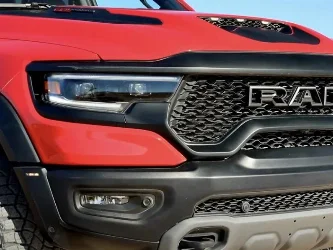
Is the Tazer able to make the tri lights on the hood be on whenever the trucks ignition is on / the truck is just sitting there running?
 
Is the Tazer able to make the tri lights on the hood be on whenever the trucks ignition is on / the truck is just sitting there running?
Yes, they will be on whenever the truck is running.
 

Attachments

  • FEEA2FC1-58FC-44D5-9B57-08893E5B1079.webp
    FEEA2FC1-58FC-44D5-9B57-08893E5B1079.webp
    85.1 KB · Views: 71

TRX Forum Favs 👍

Back
Top