New screen with update?

Beta Tester here! Hellcat has remained after multiple factory resets. Performance pages show 600 HP but not 700HP and shows twin screw in propulsion Gauges show twin screw on boost when available. I have to restart the radio each time I get the second page of gauges show up and the short cut when you use them on the home screen does not go to the gauges. I also now have all the trailer tow pages on the dashboard.

However, the update completely sucks because I can no longer select sport mode from the drive mode page, the option to select paddle shifters on/off is gone on all drive modes, the gauges are sporadic, the font is tiny and almost unreadable on most pages, there is still a blue band glitch when I hit the TRX button for the drive modes and the overall aesthetic of all the pages looks terrible compared to the original pages when I bought the truck.

Verdict: Good Job fixing the hellcat motor and twin screw graphics..
Functionality= Complete FAILURE!

@RamCares here is your BETA tester update to share with your Software Engineers that apparently have no idea what they are doing. Whomever is managing this has completely failed. @RamCares please send this to your CEO so that maybe just maybe he can get this fixed for us. I would like to again respectfully ask that you return our software version back to the OG version that came with our trucks. You are losing customers every day this clown show continues.

 
Last edited:
BETA Tester here! Hellcat has remained after multiple factory resets. Performance pages show 600 HP but not 700HP and shows twin screw in propulsion Gauges show twin screw on boost when available. I have to restart the radio each time I get the second page of gauges show up and the short cut when you use them on the home screen does not go to the gauges. I also now have all the trailer tow pages on the dashboard.

However, the update completely sucks because I can no longer select sport mode from the drive mode page, the option to select paddle shifters on/off is gone on all drive modes, the gauges are sporadic, the font is tiny and almost unreadable on most pages, there is still a blue band glitch when I hit the TRX button for the drive modes and the overall aesthetic of all the pages looks terrible compared to the original pages when I bought the truck.

Verdict: Good Job fixing the hellcat motor and twin screw graphics. Functionality = Complete Failure!

@RamCares here is your BETA tester update to share with your Software Engineers that apparently have no idea what they are doing. Whomever is managing this has completely failed. @RamCares please send this to your CEO so that maybe just maybe he can get this fixed for us. I would like to again respectfully ask that you return our software version back to the OG version that came with our trucks. You are losing customers every day this clown show continues.
Rage face 😡
 
Got the hellcat engine to show up by doing the volume button reset a few days ago, however the RHO graphics returned today. A few other things I’m noticing now:

Streaming downloaded music hiccups and skips in the speakers at random every 15-120 seconds roughly.

Volume knob is extremely slow to respond sometimes 8-10 seconds before it goes up or down.

When going into reverse and then back into drive it changes the screen into full CarPlay mode instead of the home screen it was originally set to.

Twice now surround sound in audio settings has been turned to “off”

If you are set to Waze or maps on the Home Screen at startup it will be blacked out, you have to select any other icon then re-click the map app icon to get the map to reappear from being blacked out.

I wish I could go back to the version that was solid during my initial vehicle delivery of 2023. This is getting worse. @RamCares
 
Got the hellcat engine to show up by doing the volume button reset a few days ago, however the RHO graphics returned today. A few other things I’m noticing now:

Streaming downloaded music hiccups and skips in the speakers at random every 15-120 seconds roughly.

Volume knob is extremely slow to respond sometimes 8-10 seconds before it goes up or down.

When going into reverse and then back into drive it changes the screen into full CarPlay mode instead of the home screen it was originally set to.

Twice now surround sound in audio settings has been turned to “off”

If you are set to Waze or maps on the Home Screen at startup it will be blacked out, you have to select any other icon then re-click the map app icon to get the map to reappear from being blacked out.

I wish I could go back to the version that was solid during my initial vehicle delivery of 2023. This is getting worse. @RamCares
Rage face 😡
 
20250727_162922.webp
 
Mine has switched to the trx
And I got all my gauges back. They still show turbos. But I have IC temp gauge. Let’s see if it last
 
Mine has switched to the trx
And I got all my gauges back. They still show turbos. But I have IC temp gauge. Let’s see if it last
That’s how mine has been, has stayed that way. On occasion the 6.2 will show up on some start ups, it’s very confused lol.
 
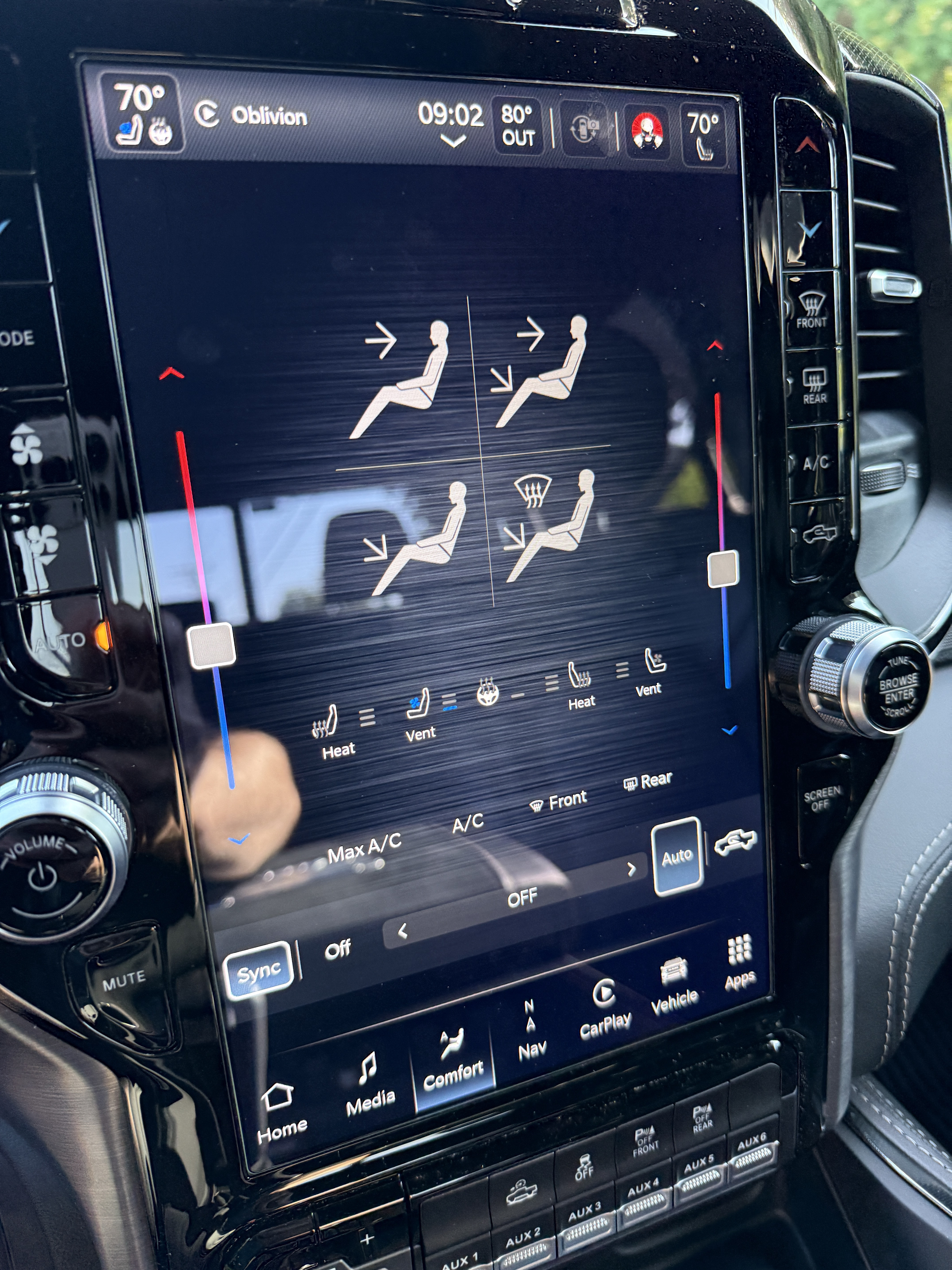
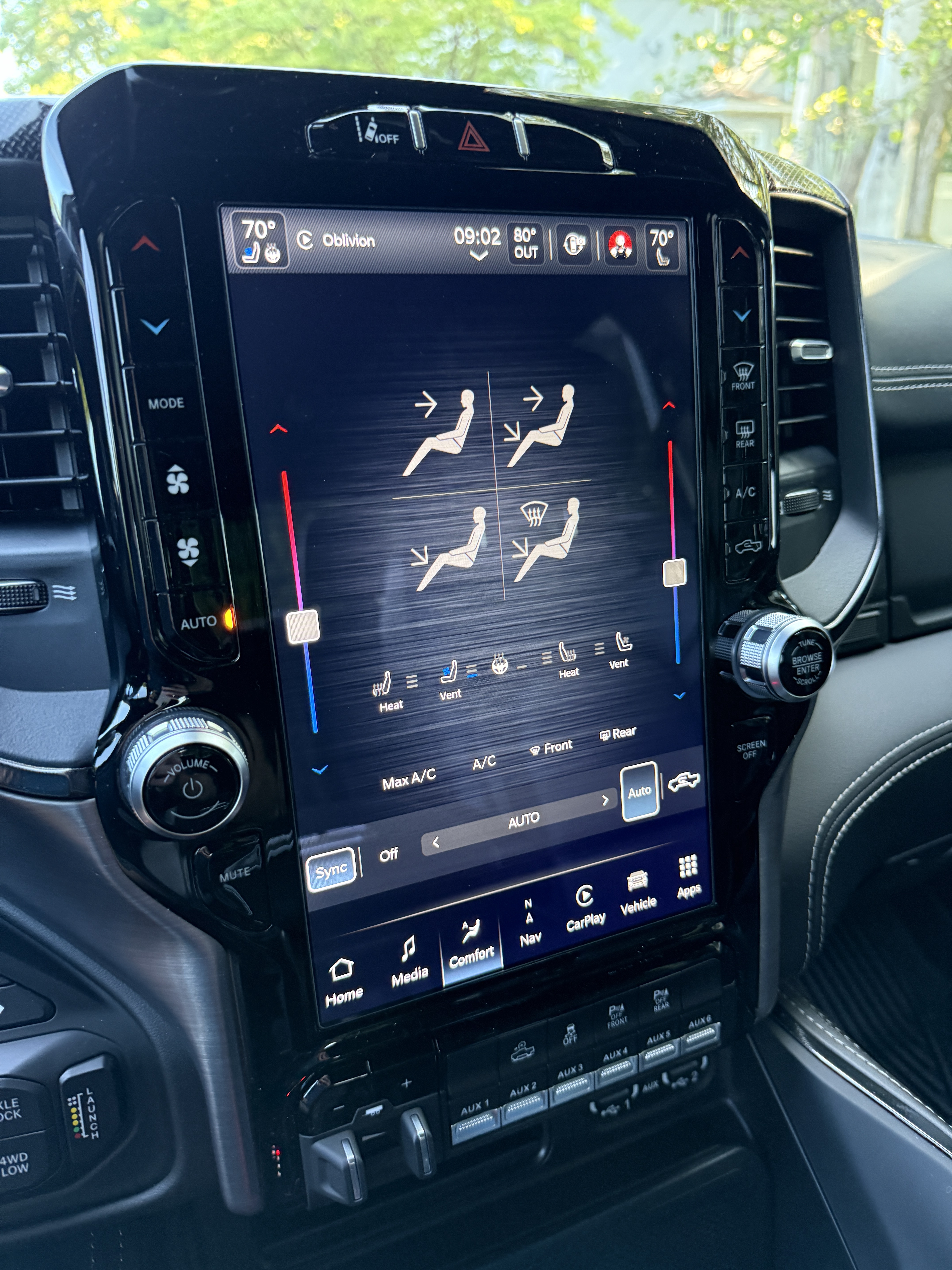
Something possibly new with this "update" to fix the graphics. I feel that my HVAC isn't functioning the same as it used to. It's summer so I'm using AC in auto mode which I always do. I'm in the North East and it's been between low 90's to low 80's the last week or so we've had the update. I've noticed a few times as I'm driving I'm having to set the temp lower than usual during the same time of day and temps. For instance in the morning 70F is usually a perfect temp as it's usually in the high 70's outside at that time. Over the weekend and this morning I noticed that the air coming from the vents is at a low output compared to what I feel is "normal". I went into the "Comfort" screen and noticed at the bottom in the center it says "Off" instead of "Auto". There is air coming out, however when I press the "Auto" button in that screen at the bottom right to toggle it off and then press it again to turn it on, the bottom changes from "Off" to "Auto". I'll notice what I'd consider the usual amount of air coming from the vents after doing this. Anyone else notice this?

This is what the screen says when I'm in "auto" mode when powering on the truck and running it for a few minutes.
qMHw0yO.jpeg


After I toggle the "auto" climate control to manual and then back to "auto" by pressing the auto button twice, it will display "Auto" where the fan speed would be indicated in manual mode instead of "off". After this I'll notice what I feel is the normal air flow.
dWt2zmT.jpeg
 
Mine too is doing weird things with the fan. Fan shows off, yet the a/c is on and fan blowing on low speed.
 
So finally got my gauges and the trx chassis back yesterday. I’m down with knee surgery today so I won’t be starting my truck anytime soon. But it’s strange that in a Publix shopping center parking lot that it finally sent out the correct update.
I just hope it stays this way when I get back to driving
 
So finally got my gauges and the trx chassis back yesterday. I’m down with knee surgery today so I won’t be starting my truck anytime soon. But it’s strange that in a Publix shopping center parking lot that it finally sent out the correct update.
I just hope it stays this way when I get back to driving
Mine did for several days. It ain't fix yet
 
Mine too is doing weird things with the fan. Fan shows off, yet the a/c is on and fan blowing on low speed.
Lovely. Just another added bonus of the "fix" to the problem we should have never needed in the first place.

@RamCares Add this to the list of features your "updates" have broken.
 

TRX Forum Favs 👍

Back
Top